
Download PerfectTUNES – Music Organizer, Album Art, Duplicate Removal, Metadata Correction, Music Library Management
Overview
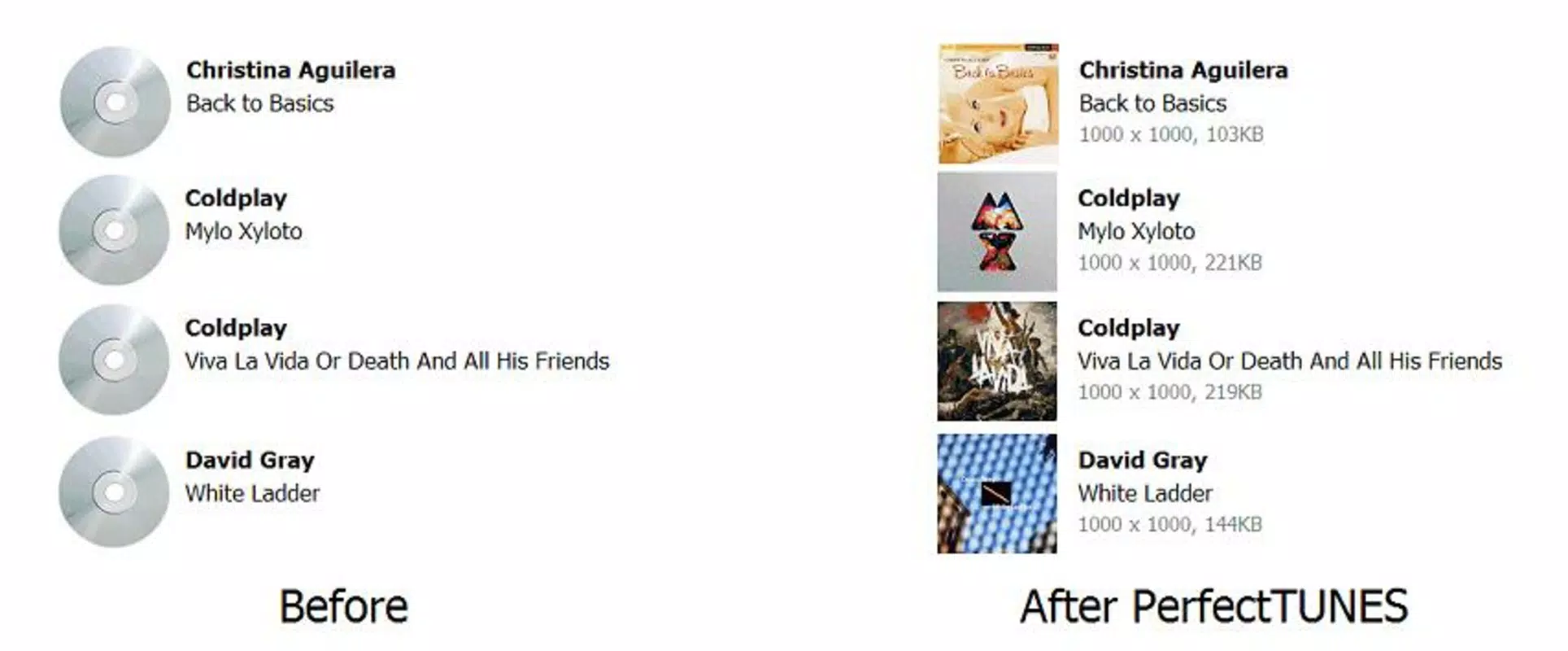
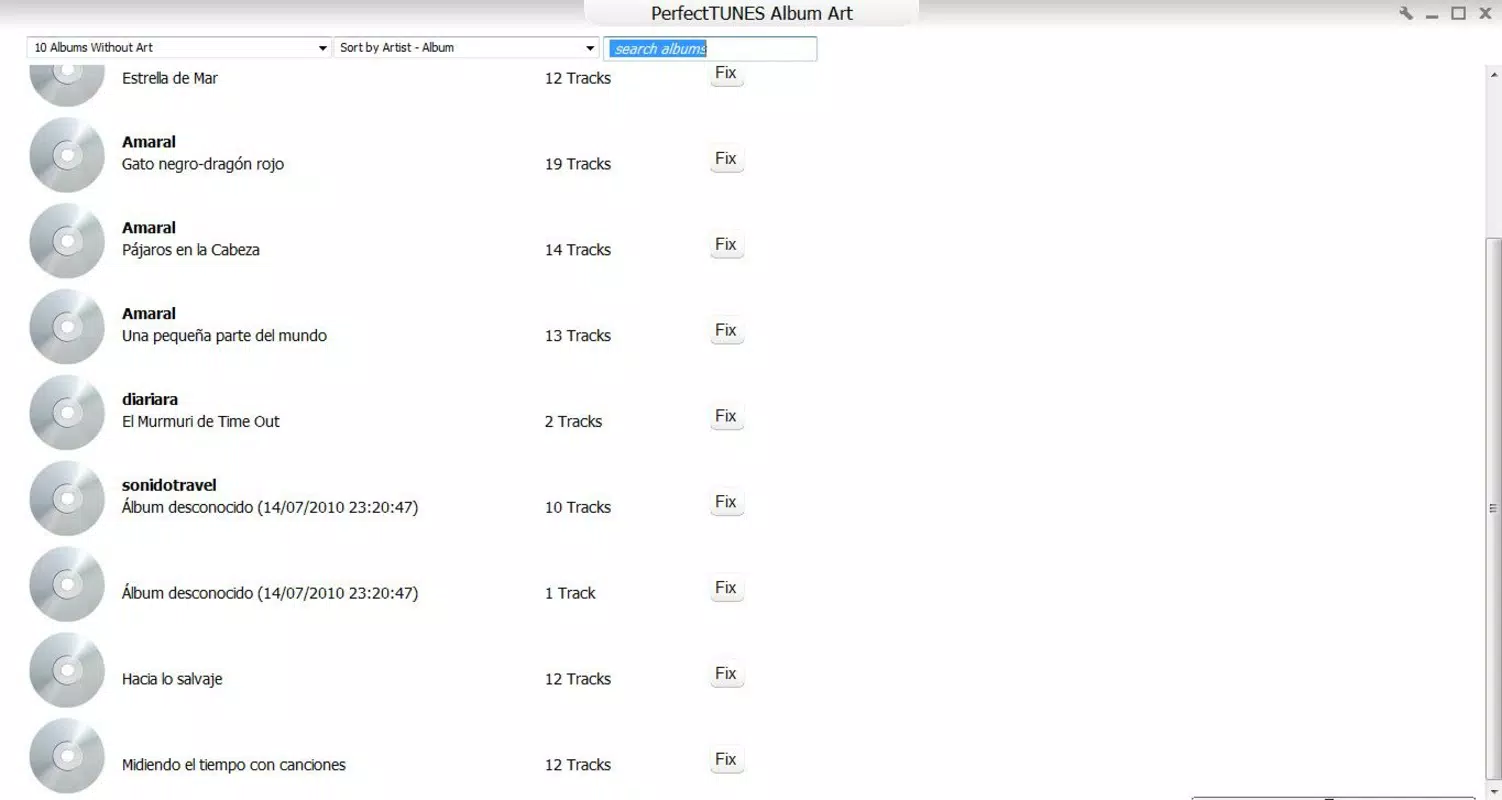
PerfectTUNES is a specialized mobile application designed for music enthusiasts seeking to maintain a clean, well-organized, and visually engaging music library. The app addresses common challenges associated with digital music collections, such as missing album artwork, duplicate tracks, and inconsistent metadata. By leveraging internet-based resources, PerfectTUNES enhances the user experience by automatically retrieving high-quality album covers and images, ensuring that each album is visually represented. This feature is particularly valuable for users who value aesthetics and ease of navigation within their music library.
The app also focuses on optimizing storage space through intelligent duplicate track detection and removal. This functionality is essential for users with large music collections who may unknowingly store multiple copies of the same song. By identifying and allowing the deletion of redundant files, PerfectTUNES helps free up valuable device storage, contributing to improved device performance. Additionally, the app corrects metadata such as track titles, artist names, and album details, which improves searchability and sorting capabilities.
PerfectTUNES is best suited for individuals who manage extensive music libraries on their Android devices and desire a streamlined, efficient way to maintain their collection. While the developer, PerfectTUNES, has not provided additional background information, the app’s long-standing presence since its release on March 20, 2014, suggests a stable and functional tool. It serves as a practical utility within the broader productivity and music management ecosystem, offering targeted solutions for digital music organization.
Key Features & Functionality
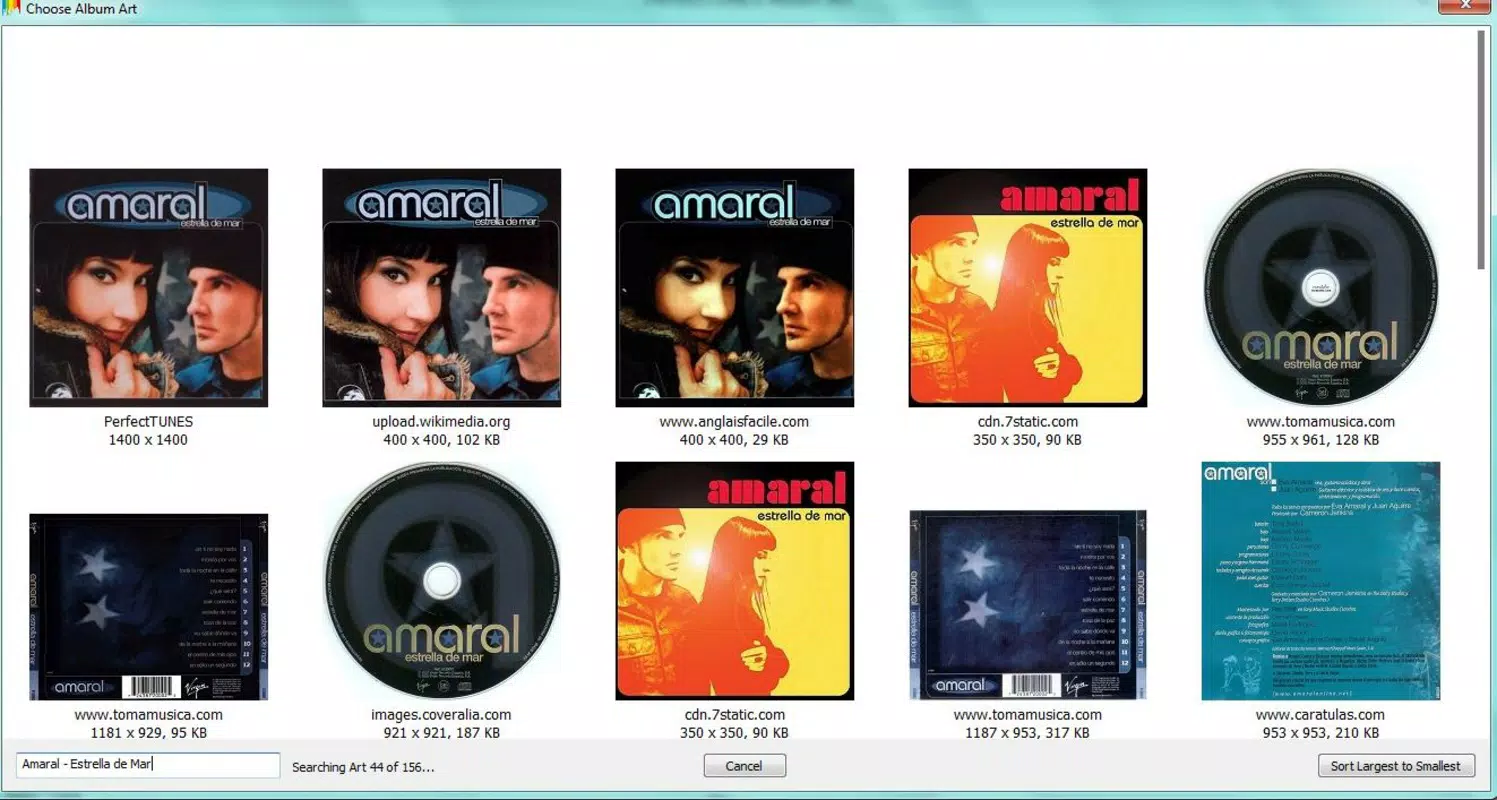
- Album Art Retrieval: PerfectTUNES automatically searches online databases to fetch high-resolution album covers and images. This feature ensures that every album in your library is visually complete, enhancing the overall listening experience and making navigation more intuitive.
- Duplicate Track Removal: The app scans your music collection for identical or near-identical tracks and presents them for review before deletion. This process helps eliminate redundancy, reduces file clutter, and frees up storage space on your device.
- Metadata Correction: PerfectTUNES identifies and corrects inconsistencies in music file metadata, including artist names, track titles, album names, and genres. Accurate metadata improves sorting, filtering, and search accuracy across your library.
- User-Friendly Interface: Designed with accessibility in mind, the interface features clear menus, straightforward navigation, and simple commands. This makes the app approachable for users of all technical skill levels, from beginners to advanced users.
- Comprehensive Music Management: By combining multiple functions—artwork retrieval, duplicate detection, metadata editing, and library organization—PerfectTUNES functions as a one-stop solution for maintaining a high-quality music library.
For example, a user with a disorganized music folder can run a full scan to restore missing covers, remove duplicate songs, and standardize file tags—all within a single session. This workflow significantly reduces the time and effort required to maintain a professional-grade music library on an Android device.
Interface, UX & Performance
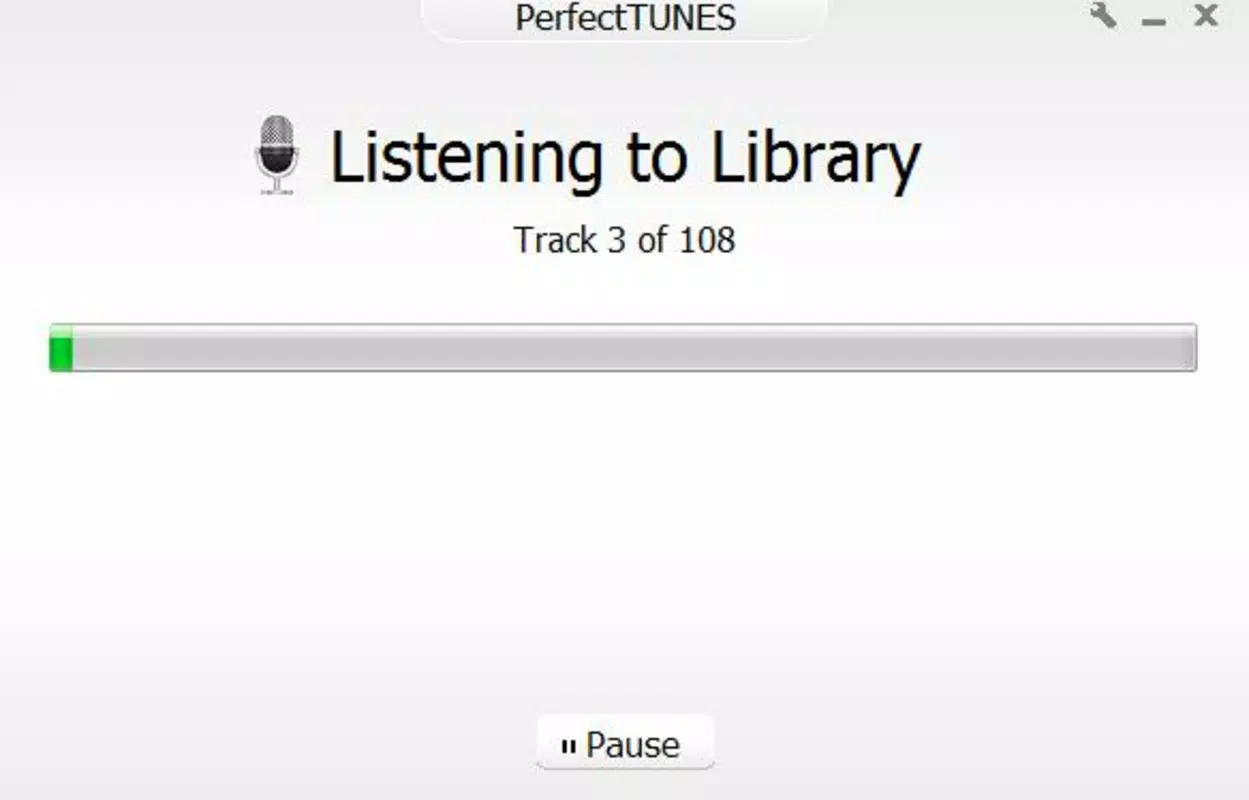
PerfectTUNES features a clean and minimalistic interface that prioritizes functionality over visual complexity. The layout is structured around core tasks, with dedicated sections for scanning, viewing results, and managing file actions. Navigation is linear and intuitive, allowing users to progress through the music management process without confusion.
The app’s visual style is consistent with standard productivity tools, using neutral colors and clear typography to enhance readability. Buttons and menus are well-spaced, reducing the likelihood of accidental taps. The responsiveness of the interface appears to be optimized for smooth operation on a range of Android devices, although the developer did not list formal performance metrics.
Although the developer did not specify minimum OS requirements or detailed performance benchmarks, the app’s lightweight size of 10.2 MB suggests efficient resource usage. It is expected to operate smoothly on mid-range and high-end Android devices, with minimal impact on battery life or system performance. Stability appears to be a focus, given the app’s long-standing availability since 2014.
Platform Compatibility & Technical Requirements
PerfectTUNES is available exclusively on the Android platform. The current version is 1.0.2, with a file size of 10.2 MB. The app is offered at no cost, making it accessible to a wide audience seeking free music management tools.
While the developer did not specify minimum OS requirements or device compatibility details, the app’s release date in 2014 indicates it has been designed to support older Android versions. However, users should verify compatibility with their device’s operating system before installation. The app’s lightweight nature suggests it may function on devices with limited storage and processing power.
Pros and Cons
- Free to download and use
- Efficient duplicate track detection and removal
- Automatic retrieval of album art and images
- Accurate metadata correction for better organization
- Simple, intuitive interface suitable for all users
- Lightweight file size (10.2 MB)
- Developer did not provide detailed technical specifications
- Platform availability limited to Android
- Compatibility information was not fully disclosed
- Specific performance metrics were not listed
- No mention of cloud sync or backup features
FAQ
Is PerfectTUNES safe to download and install?
Yes, PerfectTUNES is a free Android application with a long-standing presence in the app ecosystem. It does not require excessive permissions and operates within standard app security guidelines. As with any third-party app, users should ensure they download from trusted sources.
Can I use PerfectTUNES on iOS devices?
Currently, PerfectTUNES is only available for Android. There is no official version for iOS devices. Users seeking similar functionality on Apple platforms may need to explore alternative tools.
Does PerfectTUNES require an internet connection?
Yes, an active internet connection is required for features such as album art retrieval, metadata correction, and duplicate detection. These functions rely on online databases and services to function properly.
How often should I update PerfectTUNES?
It is recommended to keep the app updated to the latest version to ensure optimal performance and access to new features. The developer has not specified update frequency, but users should check their app store regularly for updates.
Can PerfectTUNES recover deleted files?
PerfectTUNES does not include a file recovery feature. Once a duplicate track is deleted, it cannot be restored through the app. Users are advised to back up important files before performing bulk deletions.
Final Thoughts
PerfectTUNES stands out as a reliable, lightweight tool for Android users committed to maintaining a polished and efficient music library. Its combination of album art retrieval, duplicate removal, and metadata correction addresses core pain points in digital music management. The intuitive interface ensures that even non-technical users can achieve professional-level organization with minimal effort.
While the app lacks some modern features like cloud integration or cross-platform sync, its focused functionality and free availability make it a compelling choice for anyone seeking a straightforward solution. The long-standing presence since 2014 underscores its stability and continued relevance.
For music lovers who value both form and function in their digital collections, PerfectTUNES delivers tangible benefits. It transforms a cluttered library into a vibrant, well-structured archive—enhancing both usability and enjoyment.
Download PerfectTUNES now


